Playback controls and events
v0.3.0 · UE 5.8.2 / Windows x64
LAMAudio2ExpressionComponent keeps audio and facial expressions synchronized. Set default Playback Settings and call Play Expression Clip, or pass settings per call with Play Expression Clip With Settings.
Basic controls
Section titled “Basic controls”| Operation | Behavior |
|---|---|
| Pause / Resume | Hold and resume audio, expressions, and fades |
| Stop | End playback and return to the input expression over 100 ms |
| Seek | Change position under the same Playback Id; preserve paused state |
| Fade Out And Stop | Fade volume linearly, then stop |
| Set Volume / Set Muted | Change live volume or mute; expressions and time continue while muted |
A seek after stopping starts new playback. Playback is at 1× speed; looping is unsupported. A SoundWave with looping enabled is rejected.
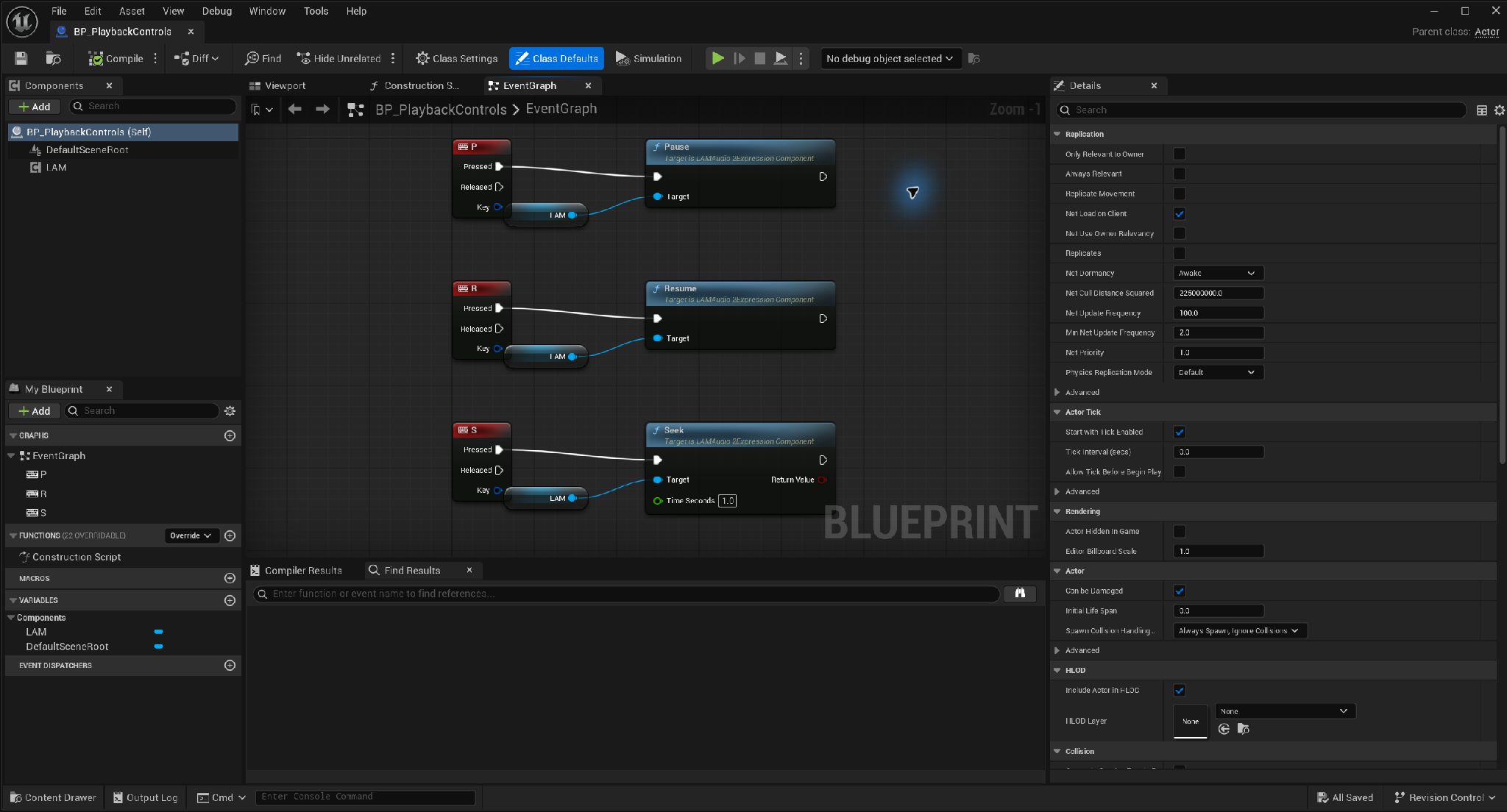
Wiring Pause, Resume and Seek · Open full-size image
- P calls Pause.
- R calls Resume.
- S calls Seek, moving to 1.0 seconds in this example.
These keys belong to the documentation example. Configure the Actor to receive input and first play a clip on the same LAM component. These are not the demo key bindings.
Captured 2026-09-30 · UE 5.8.2 · Plugin 1860d0e · Demo 9dee71d · Operation included in v0.3.0.
Audio routing
Section titled “Audio routing”An unset Output Submix inherits the source audio / SoundClass / engine routing. Setting it replaces the main output. Additional Submix Sends adds parallel sends. Levels range from 0 to 1; the last entry wins for duplicate destinations.
Set Output Submix, Set Submix Send, and Remove Submix Send work during playback and update the component’s defaults for the next play. They do not modify the SoundWave or analyzed Clip. Different components can play the same Clip through different routes. Parallel paths that reach the same parent submix are summed.
Inherit SoundWave Sends is enabled by default. Unset Sound Class Override and Concurrency Settings inherit from the source audio.
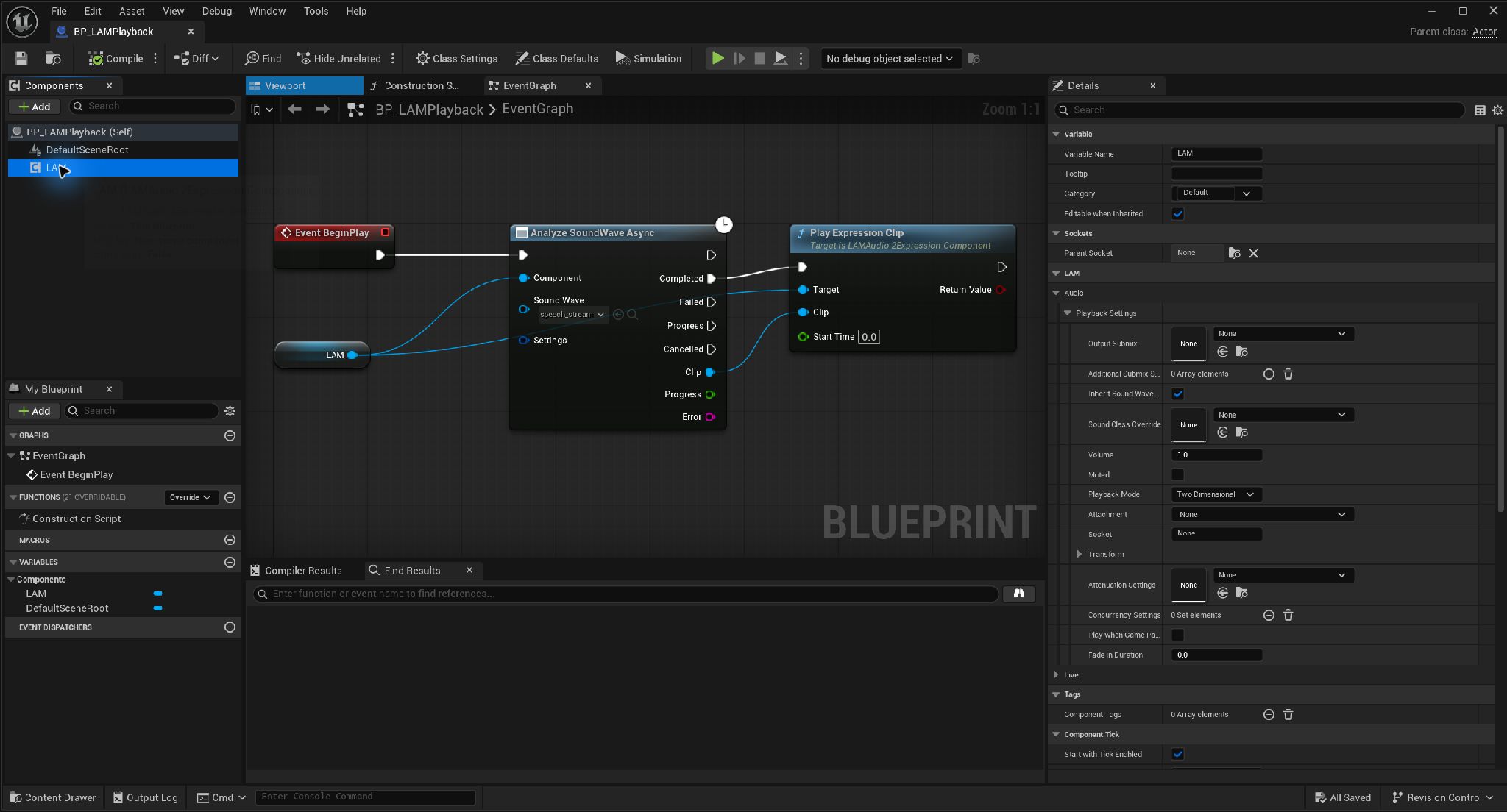
Component audio routing and volume · Open full-size image
- Configure Output Submix and additional sends. None inherits the source/engine routing.
- The capture shows Volume 1.0 and Muted disabled.
Captured 2026-09-30 · UE 5.8.2 · Plugin 1860d0e · Demo 9dee71d · Operation included in v0.3.0.
3D playback and game pause
Section titled “3D playback and game pause”Playback Mode defaults to Two Dimensional. Three Dimensional supports Attachment, Socket, Transform, and Attenuation Settings. An unset Attachment uses the owner’s root. Unregistered components, another World, or a missing socket produce an error.
Play When Game Paused defaults to false. Enable it to continue playback during game pause. Also enable Tick Even When Paused on the SkeletalMeshComponent if its AnimBP must continue updating.
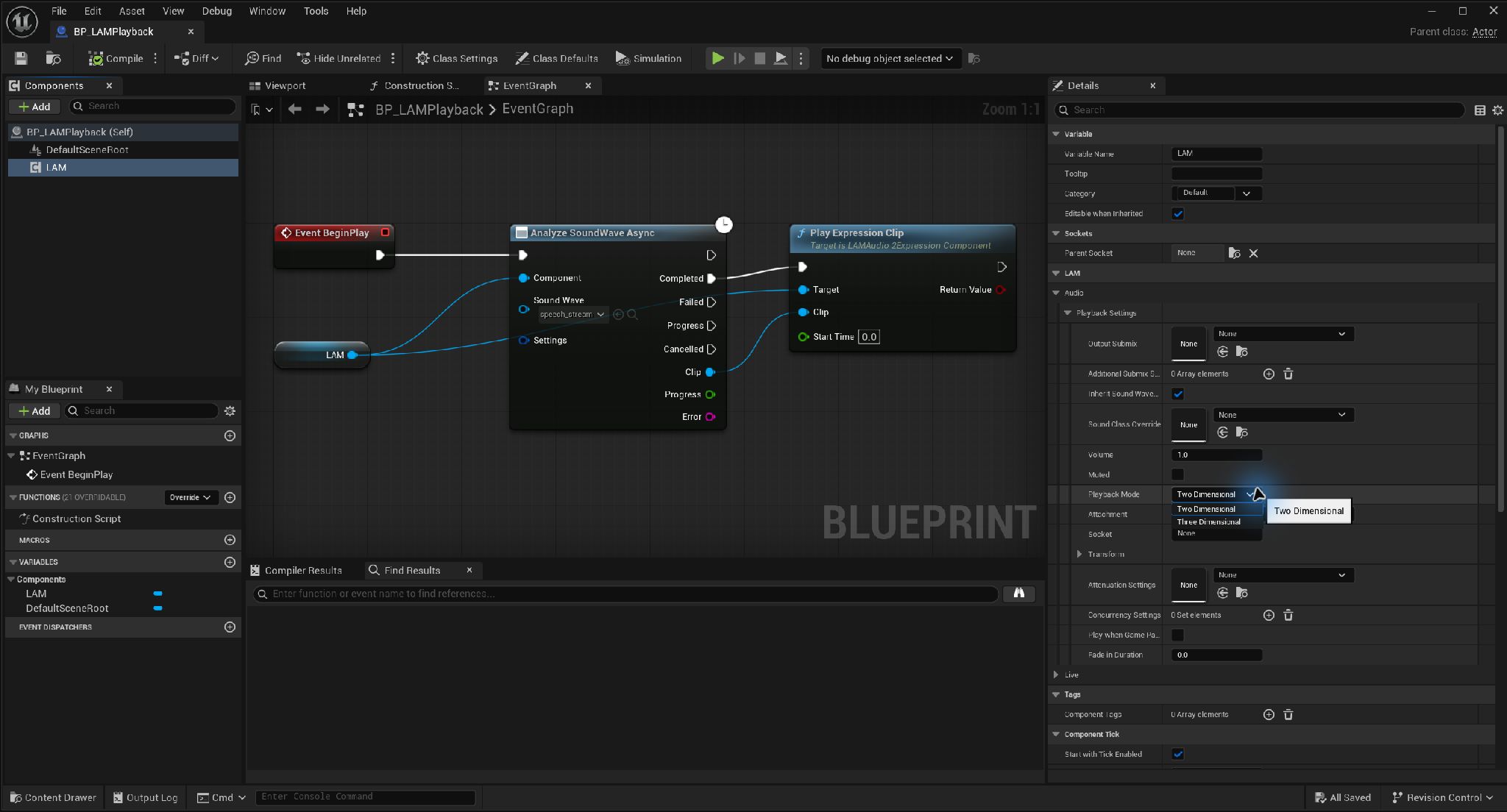
Playback Mode and spatial-audio settings · Open full-size image
- Choose Three Dimensional in Playback Mode. The capture shows the open options.
- Configure Transform and Attenuation Settings as needed. Close the menu to inspect Attachment and Socket.
Captured 2026-09-30 · UE 5.8.2 · Plugin 1860d0e · Demo 9dee71d · Operation included in v0.3.0.
Choose the right completion event
Section titled “Choose the right completion event”| Event | Meaning / use |
|---|---|
| On Playback Started | Playback accepted; not repeated for seeks |
| On Playback Finished | Natural audio completion only; useful for advancing dialogue |
| On Playback Ended | Once per accepted playback; Reason is Completed, Stopped, Replaced, Interrupted, or Failed |
| On Playback Failed | Invalid input or playback rejection; inspect Error.Code / Error.Message |
| On Playback State Changed | Starting, Playing, Paused, FadingIn, FadingOut, Stopped, or Failed |
Event data includes a Playback Id that increases within the component, and the Clip. Use the event arguments to identify the playback, especially when a listener starts the next clip. Get Playback Info returns state, position, duration, and progress.
Preflight rejection emits Failed only and preserves existing playback. After playback has started, notifications are State Changed → Ended → Finished for natural completion, or Failed for a start failure. Notifications are suppressed during Actor destruction and PIE teardown. Natural completion refers to the source audio’s end, not the end of reverb tails.
Play a baked clip (v0.3.0)
Section titled “Play a baked clip (v0.3.0)”Plugin 1f06ac8 accepts saved clips in the same playback nodes. Load the clip and audio first, and call Prime Sound early for streaming audio. This removes analysis waits, not audio output latency. The feature is included in the v0.3.0 ZIPs.
Sequencer integration (public source)
Section titled “Sequencer integration (public source)”Control public-source LAM Dialogue through the Level Sequence Player, with volume in Sequencer. It neither inherits these Playback Settings nor emits ordinary playback events. Acquiring control ends ordinary playback with Interrupted and rejects new Clip playback or live-input starts until release. Interrupted input does not automatically resume. Use Blueprint Is Controlled By Sequencer to branch. Not included in v0.3.0 ZIPs.