Audio lip-sync plugin for UE5
v0.3.0 · UE 5.8.2 / Windows x64
LAM Audio2Expression is a lip-sync plugin for Unreal Engine 5 (UE5). Generate mouth movements and facial animation from audio, then apply ARKit 52 curves or Viseme weights through Blueprint and AnimGraph. Inference runs locally on your PC.
Install the plugin · Try the Windows demo · Connect Blueprint nodes
Get started with UE5 lip sync
Section titled “Get started with UE5 lip sync”The ready-to-use release targets UE 5.8.2 / Windows x64. Prepare an imported SoundWave and a character with ARKit 52, five-vowel, or Oculus-compatible morph targets, or a rig driven by animation curves. No Python or external inference service is required at runtime. Other UE versions require rebuilding and are outside the published validation scope.
- Install the model-included plugin and enable it in your project. To try the animation first, use the Windows demo.
- Connect audio analysis and playback in Blueprint. The completed analysis produces a Clip for synchronized playback.
- Map ARKit curves or Visemes to your character and apply them in AnimGraph. Morph names and output settings must match the rig.
| Your use case | Where to continue |
|---|---|
| Recorded dialogue you will reuse | Bake SoundWave clips in the editor, then preload and play them without runtime inference |
| Microphone or external PCM stream | Live-input setup, including update intervals, presentation delay, and testing limits |
| Pause, seek, volume, or spatial audio | Playback controls and events |
| Choosing an audio-driven animation method | Compare UE5 lip-sync approaches by output, emotion controls, and integration requirements |
| Edit dialogue on a cinematic timeline | Sequencer / LAM Dialogue with scrubbing and MRQ output; public source only, not in v0.3.0 ZIPs |
Downloads
Section titled “Downloads”Choosing an approach? Compare audio lip-sync methods for the output, emotion controls and integration requirements of LAM, Audio2Face, MetaHuman and other candidates.
Model included · ~391 MiB Windows demoNo UE editor required
Standalone ZIP · ~971 MiB UE projectEdit the character and audio
Model included · ~427 MiB
All downloads above are v0.3.0. GitHub’s automatically generated “Source code” archives do not include the model; the demo source archive also omits the plugin submodule. Checksums are available in the plugin release and demo release.
Six Japanese speech samples
Section titled “Six Japanese speech samples”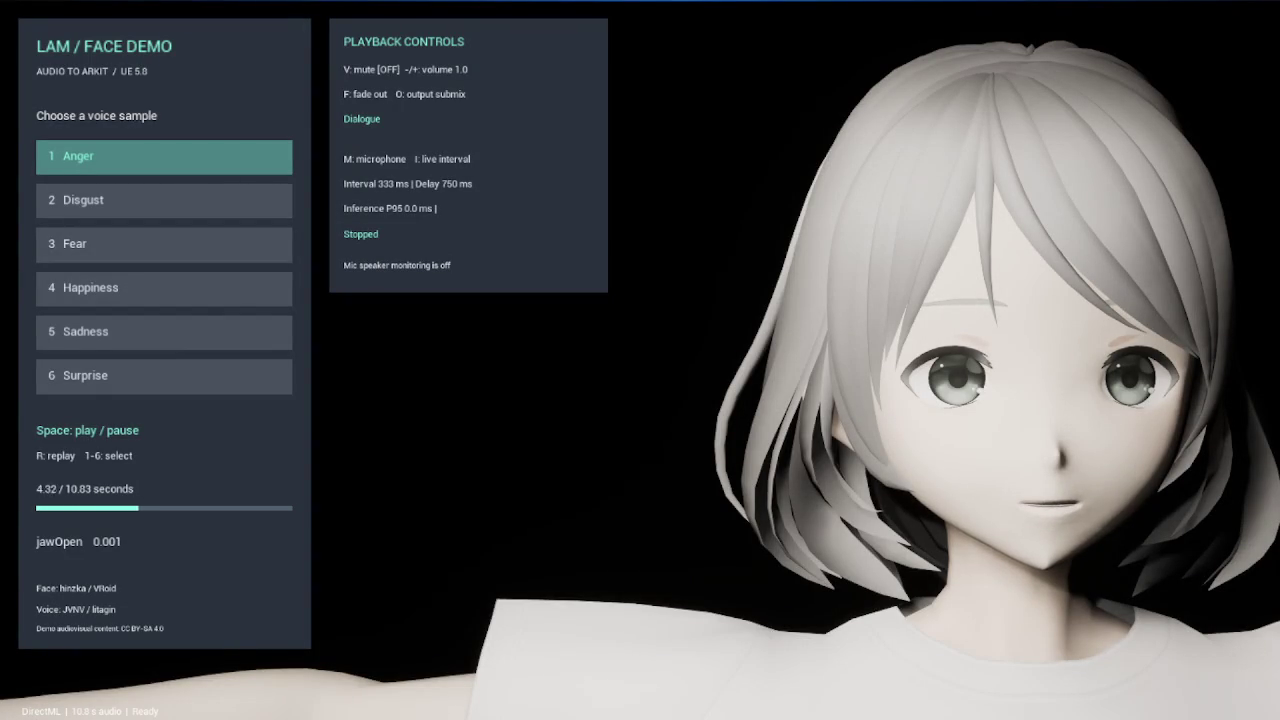
Six speech samples express anger, disgust, fear, happiness, sadness, and surprise. Video, speech, and demo presentation: CC BY-SA 4.0. Character: hinzka / VRoid. Speech: JVNV / litagin. Credits and terms
The original video host is currently unavailable. Follow the Windows demo guide to try it yourself.
Requirements and capabilities
Section titled “Requirements and capabilities”| Area | Supported |
|---|---|
| Engine / OS | Unreal Engine 5.8.2 / Windows x64 |
| Character | ARKit 52, five-vowel / Oculus-compatible morph targets, or a curve-driven rig |
| Offline analysis | Standard SoundWave, mono / stereo, 8–192 kHz, up to 5 minutes |
| Playback | Synchronized audio and expressions, pause, resume, seek, volume, submixes, 2D / 3D |
| Live input | Microphone or external PCM; inference interval about 33.3–1000 ms |
| Inference | DirectML preferred, with CPU fallback |
Python and an external inference server are not required at runtime. SoundCue, MetaSound, Procedural SoundWave, and direct loading of external WAV / MP3 files are outside the supported input path. See validation for test coverage and measurement conditions.
Documentation versions
Section titled “Documentation versions”Reviewed on September 30, 2026, against v0.3.0 and public source Plugin 1860d0e / Demo 9dee71d. The release ZIPs were built from Plugin 1f06ac8 / Demo f3b6f13, as recorded in the release manifest. Baked clips, Viseme conversion, and the Blueprint demo are included.
The later source adds Lipsync search keywords to Blueprint and animation nodes. In the v0.3.0 ZIP, search for LAM or the node’s display name. Runtime behavior is unchanged by that metadata update. Source descriptors and older screenshots may still show 0.2.0; the release ZIP descriptor is 0.3.0. Check the release manifest and source commit to identify a build.
The preview above is the older v0.2.0 recording, not a new v0.3.0 capture. Each page links to its source evidence.
Public-source update, October 9, 2026: Plugin 1642ffa / Demo 2fbdcb3 add LAM Dialogue for Sequencer. Build this source for the new track and examples; the v0.3.0 release downloads above remain unchanged.