
QuickSDFTool Documentation
QuickSDFTool is an Unreal Engine 5.7.x editor-mode plugin for painting toon-shadow masks on meshes and generating SDF threshold maps for stylized rendering.
Use this site to install the plugin, understand the authoring workflow, wire generated threshold maps into materials, and check release notes for compatibility details.
Start Here
Workflow Screenshots
The current documentation captures show the main v1.0 workflow from slot selection to SDF output. Concept diagrams explain the authoring pipeline, pen input, pressure curve, symmetry modes, and Monotonic Guard flow; real UE screenshots are still required for UI states that prove editor behavior.
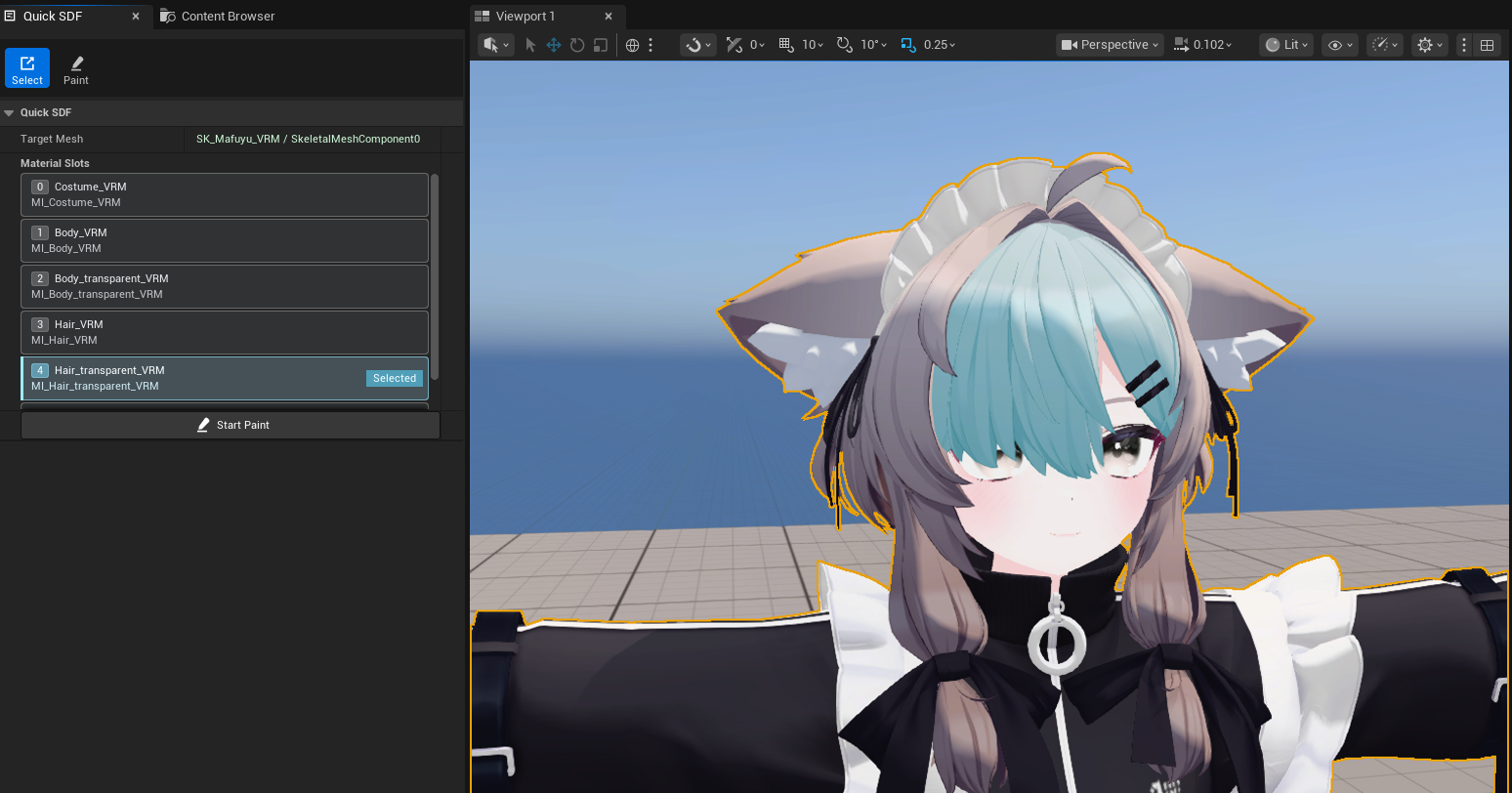
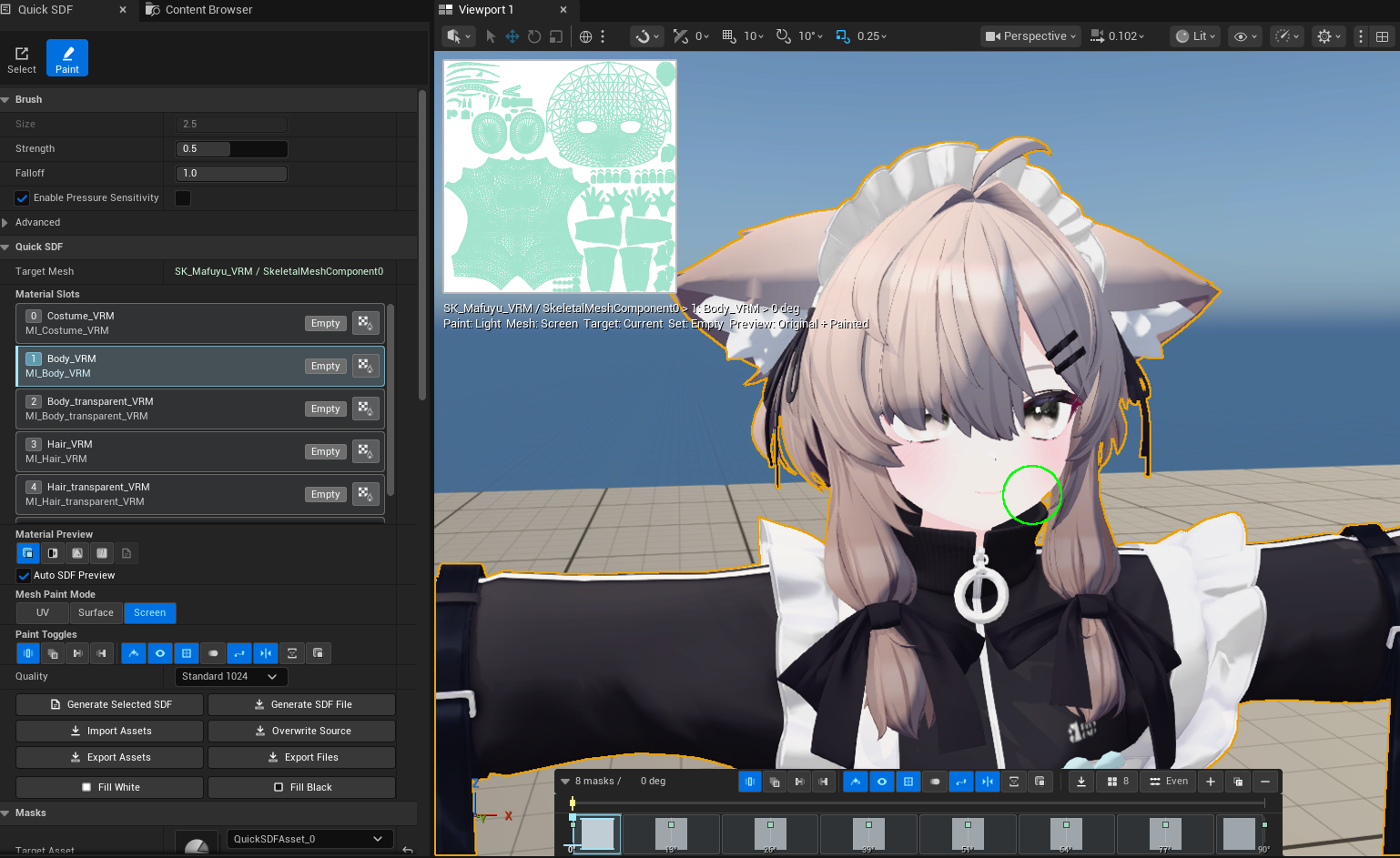

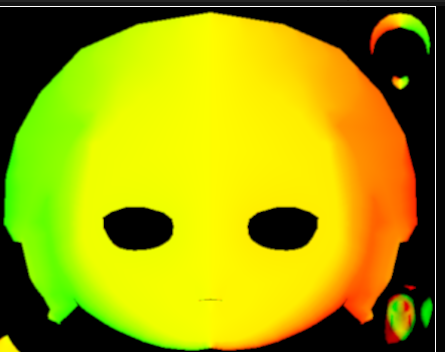
Screenshot character model credit: 真冬 Mafuyu / Original 3D Model by ぷらすわん. Character design and 3D modeling: 有坂みと.
Quick Start
- Copy this repository into your C++ Unreal project as
Plugins/QuickSDFTool/. - Regenerate project files, build the project, enable QuickSDFTool, then restart the editor.
- Open the Editor Mode selector and choose Quick SDF.
- In Select mode, click the mesh/material surface you want to edit in the viewport.
- Confirm the active slot in Material Slots. The selected row and cyan viewport overlay show the active material slot; row clicks can correct the viewport pick.
- Click Start Paint. Paint mode isolates the active slot by default; turn off Isolate Slot if you need full-mesh visibility.
- Paint white with
LMB; paint black/shadow withShift + LMB. - Use the 2D Canvas for texture-space strokes, Texture Set / Angle selection, brush size, Fit / 100% zoom, rotate/flip, checker/grid, UV overlay, onion skin, and tablet-aligned pen input.
- Hold a stroke still to enter Quick Stroke. Move it to adjust the preview, then release to commit the final position.
- Use Live SDF material preview when you want a fast GPU JFA approximation before generating the final texture.
- Use the timeline to seek light angle, add or duplicate keyframes, and choose a paint target mode.
- Click Generate Selected SDF or Generate SDF Threshold Map.
- Use the generated texture from
/Game/QuickSDF_GENERATED/in your toon material.
Compatibility
QuickSDFTool v1.0 targets Unreal Engine 5.7.x, with UE 5.7.4 as the required release verification target. UE 5.8+ is intended to be supported later, but it is not part of the v1.0 verification matrix.
Core Workflow
painted light/shadow masks -> SDF interpolation -> RGBA threshold texture -> controlled toon shadow
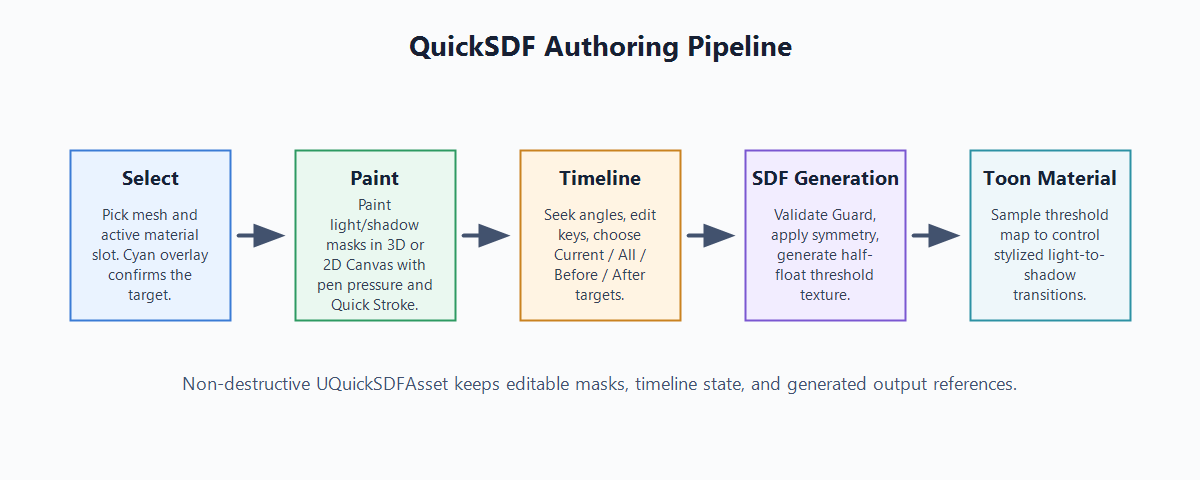
QuickSDFTool is most useful when the right shadow shape is an art-direction decision rather than a physically derived result. Common uses include face shadows, hair bands, clothing folds, and small-team toon pipelines that benefit from in-editor iteration.